.png)
How to Set Property Open & Closed Dates
You can control when your campground is open or closed for reservations directly in Reservation Settings. By default, your property is set to be open year-round, so you will only need to adjust these settings if you operate seasonally or need to temporarily close your campground.
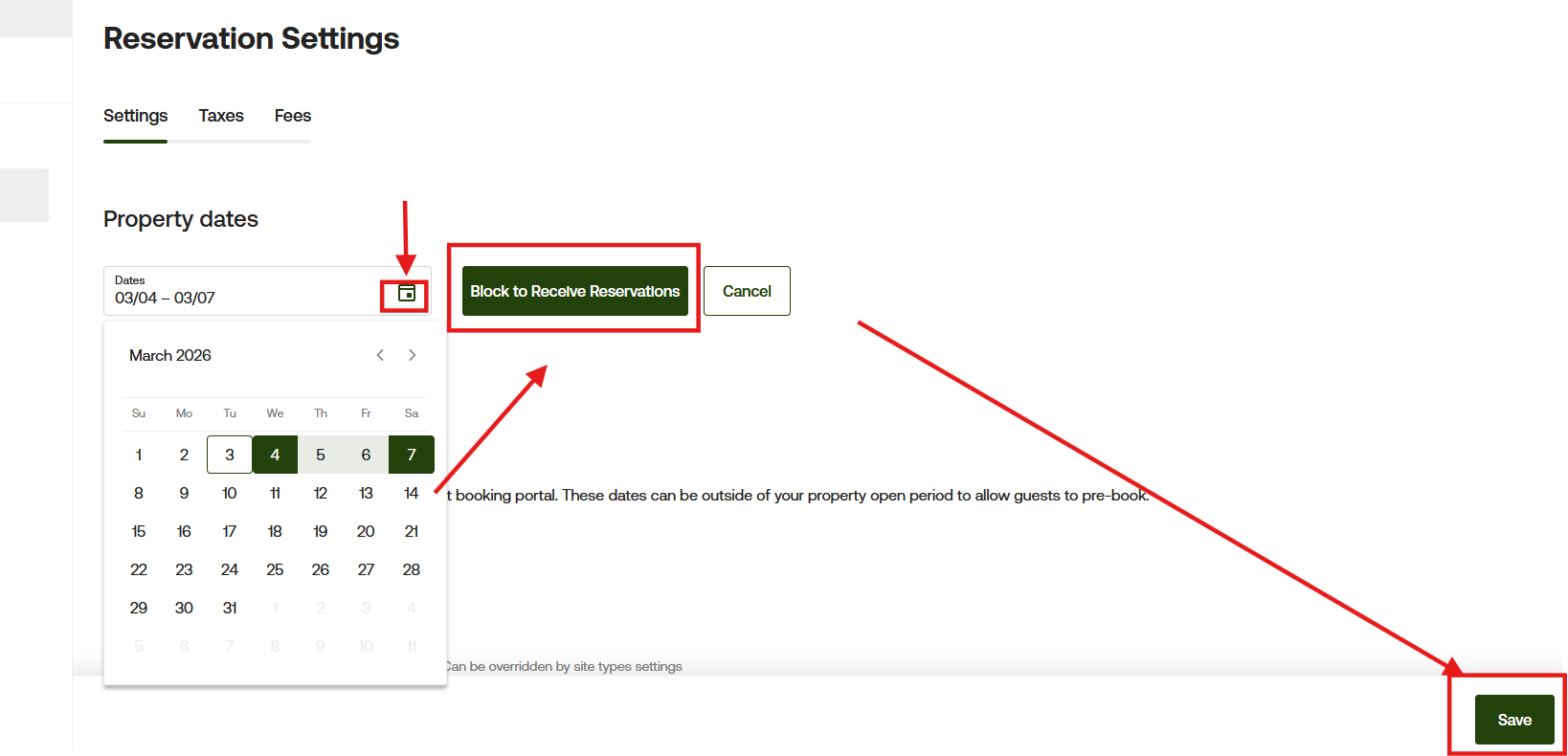
First, navigate to Reservation Settings and remain on the Settings tab. In the Property Dates section, click inside the Dates field and select the calendar icon to open the date picker.
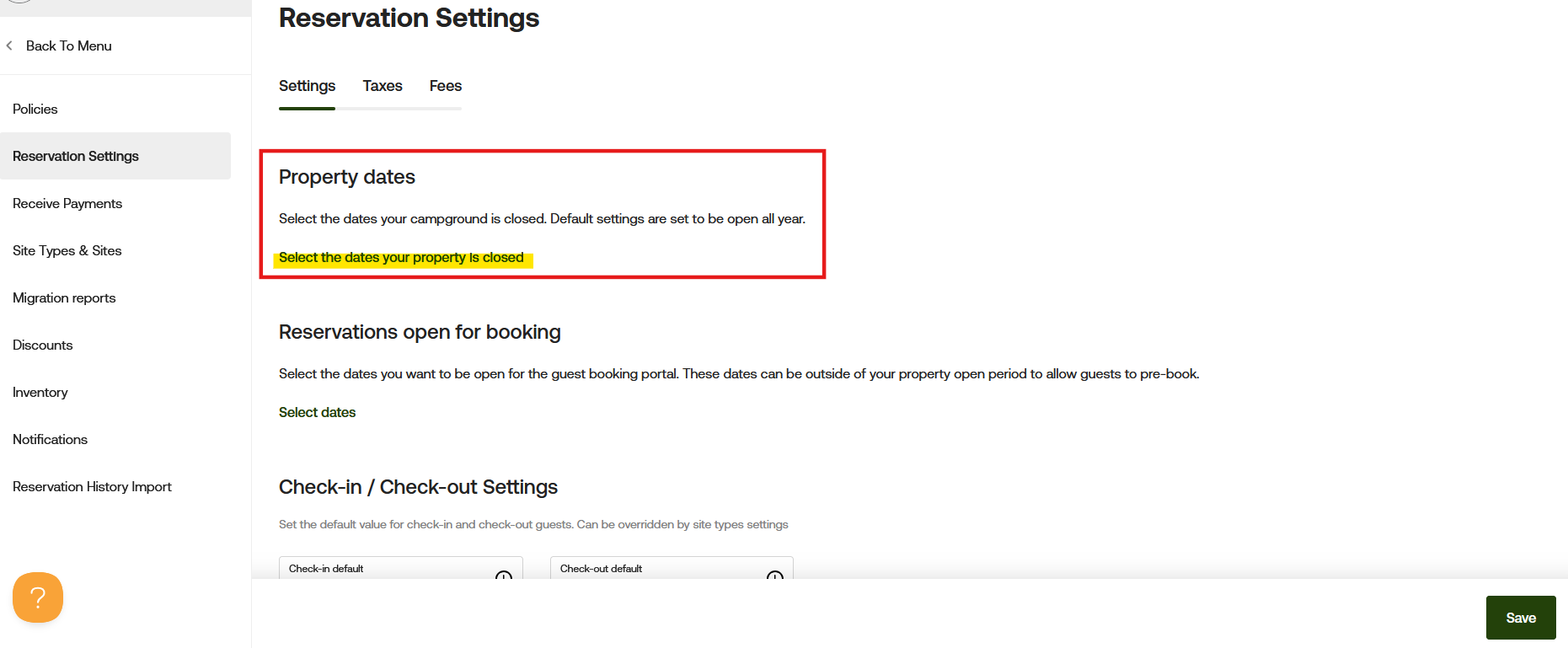
From the calendar, choose the start and end dates your property will be closed. Once selected, click the green Block to Receive Reservations button. Finally, click Save in the bottom right corner of the page to apply your changes. After saving, guests will no longer be able to begin new reservations during those blocked dates.
Understanding How Block Periods Work
Block periods prevent new stays from starting on those dates. Guests cannot select a blocked date as their check-in date.
However, guests who are already staying at your campground may still check out during a blocked period, as long as their reservation began during your open season. Blocking dates does not cancel or shorten existing reservations.
Example Configuration
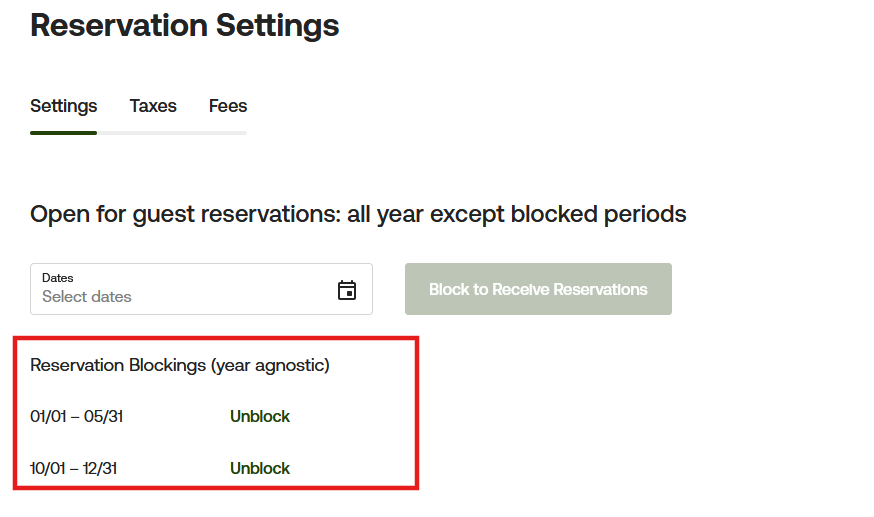
In the example below, the campground has the following block periods configured:
01/01 - 05/3110/01 – 12/31
This means the campground is intended to operate seasonally between late spring and early fall.
However, it is important to understand how the system interprets block end dates.
Important: Understanding Block End Dates
The ending date of a blocked period is treated as the first available arrival date.
Using the example above:
Pre-Season Block: 01/01 – 05/31
Guests cannot begin stays before May 31, but they can begin a reservation on May 31 itself.
This means:
- First Available Check-In Date:
05/31
This behavior can feel slightly confusing at first, since many users expect the campground to remain fully blocked through May 31 and reopen on June 1. However, the system treats the ending blocked date as the first available check-in date.
Because of this:
- If your campground’s intended opening date is June 1, your blocked period should instead end on
06/01
Example:
- Correct Block Period for June 1 Opening:
01/01 – 06/01
This ensures guests cannot begin reservations before your intended opening day.
Post-Season Block Example
Block Period: 10/01 – 12/31
Guests cannot begin a new stay on or after October 1.
The last available arrival date would be September 30.
Guests already staying at the campground may still check out during blocked dates if their reservation started before the seasonal closure.
Important: If you are closing the dates and do not want campers to book please update the max advance booking as well

Year-Agnostic Settings
Property date settings are year agnostic, meaning they automatically apply to future years unless manually updated. Be sure to review your seasonal dates periodically to ensure they continue matching your campground’s operating schedule.
If you have any questions or need assistance, please contact our Support team at [email protected]