.png)
How to Edit Guest Count on Existing Reservation
This guide walks you through how to update guest information on an existing reservation by using the Edit Reservation feature. By re-selecting the assigned site, you can refresh and apply changes to the guest details without needing to recreate the booking.
First, create your reservation, or if one already exists, locate and open it. Click here to learn how to create a reservation, and click here to learn how to find an existing reservation.
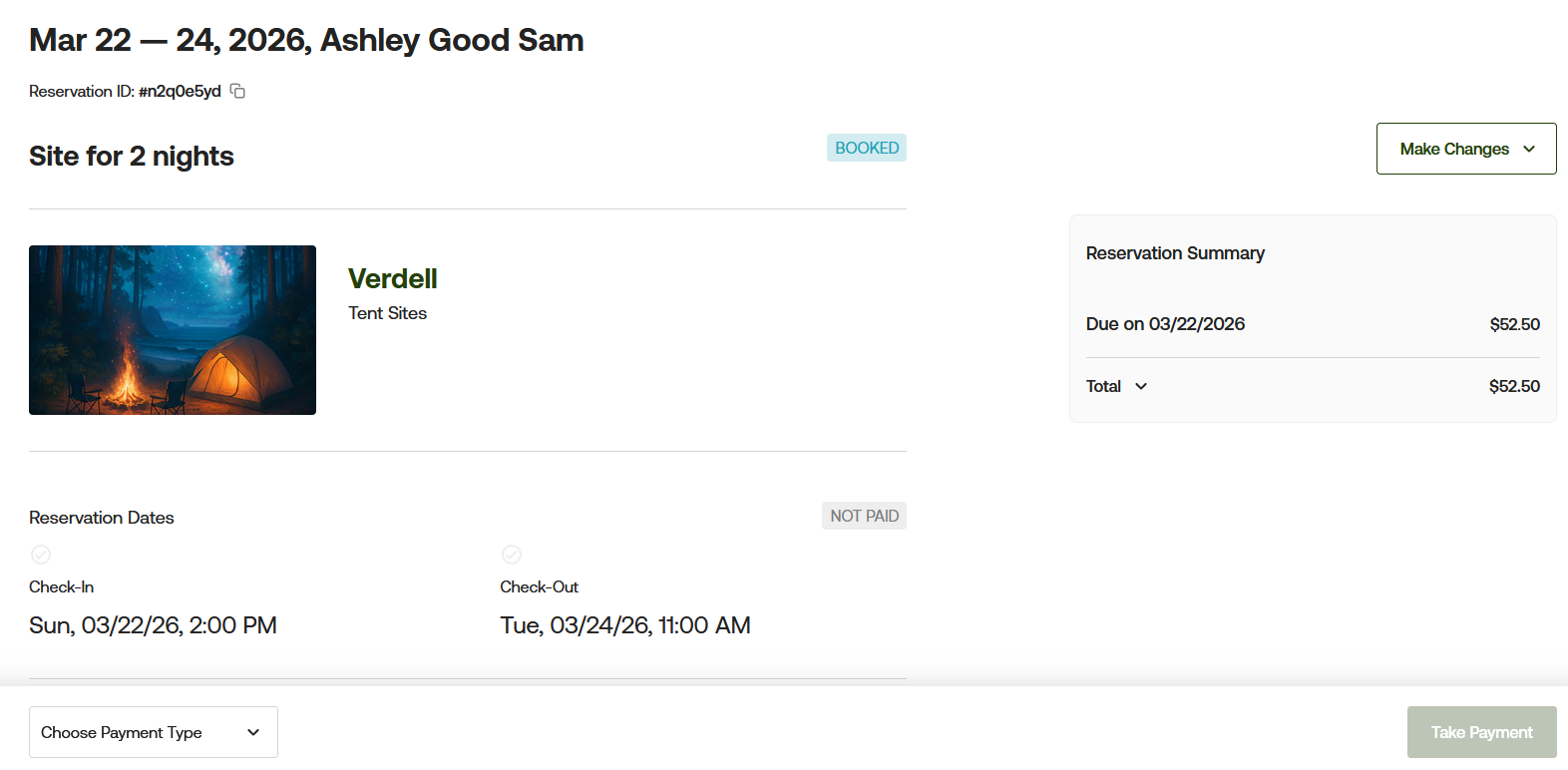
Once your reservation has been created, you will want to select the "make changes" button and edit reservation. It will take you to the next page below:
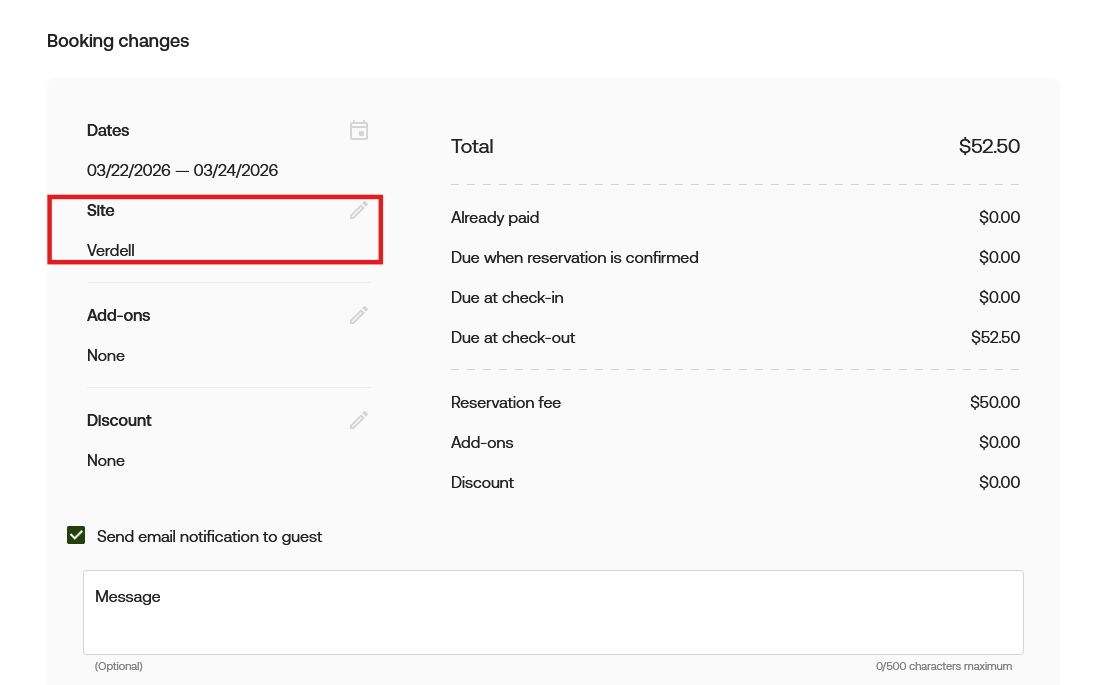
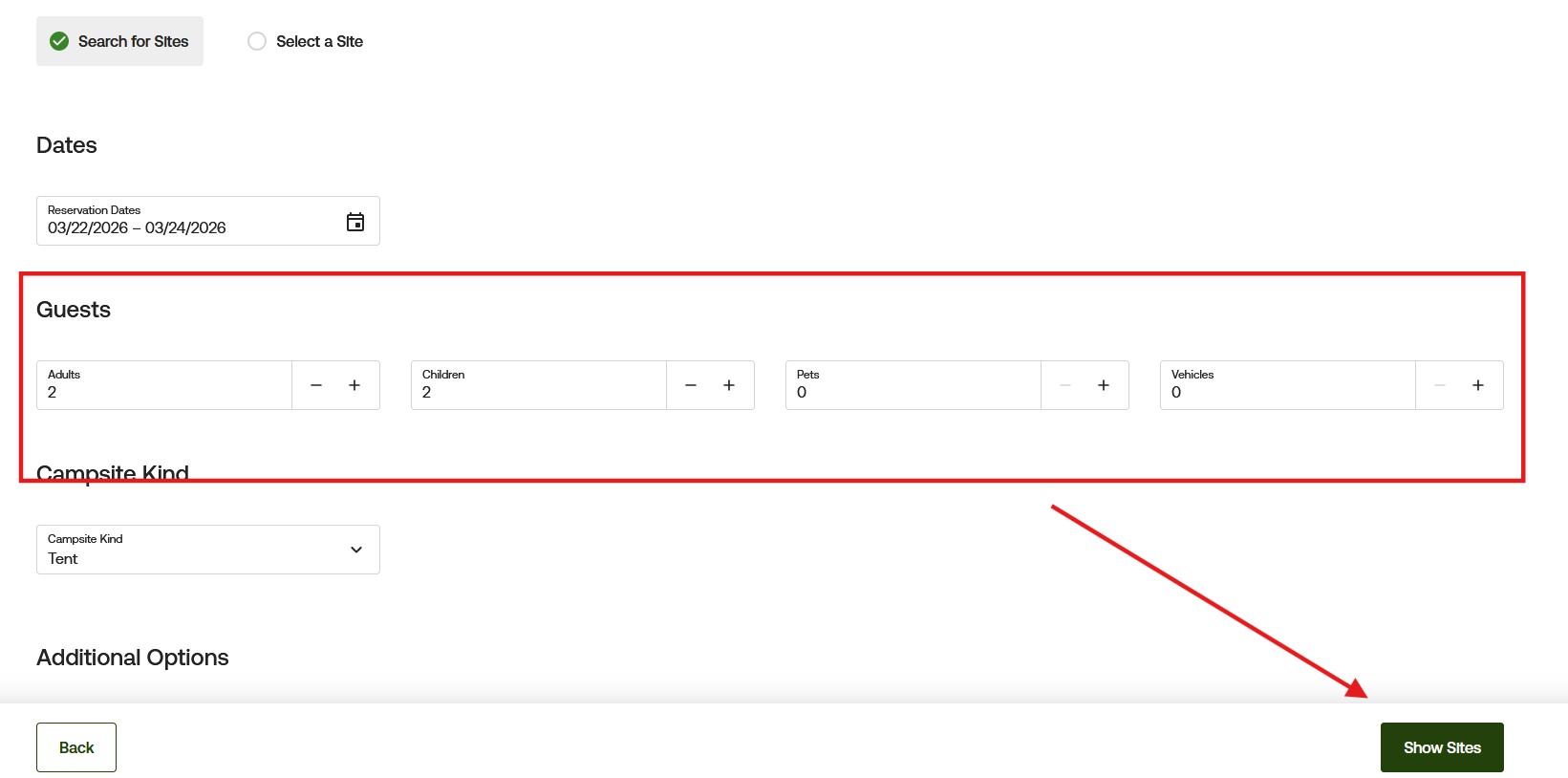
From here, you will want to remember the site your camper is in and select the sites button (pencil icon on the right side) and update the guest portion. Press the green "select sites" button to proceed forward.
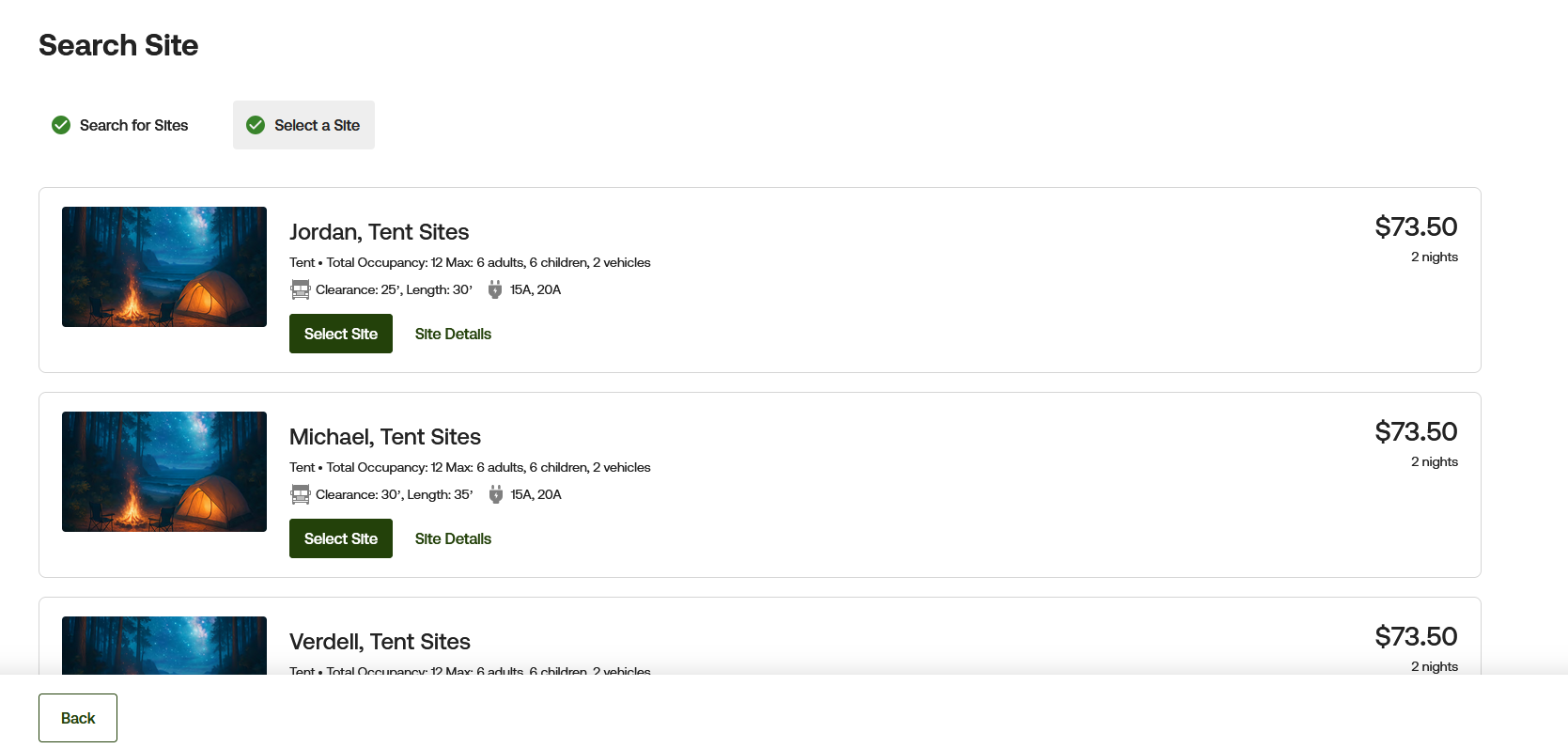
Now re-select the site the camper was originally in
Once you re-select the site, it will bring you back to the booking changes page. Press save at the bottom.
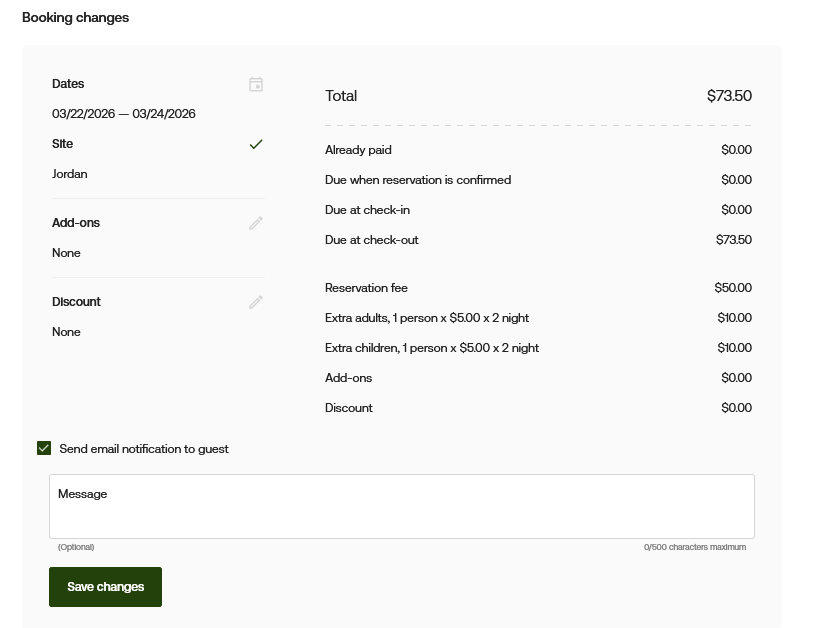
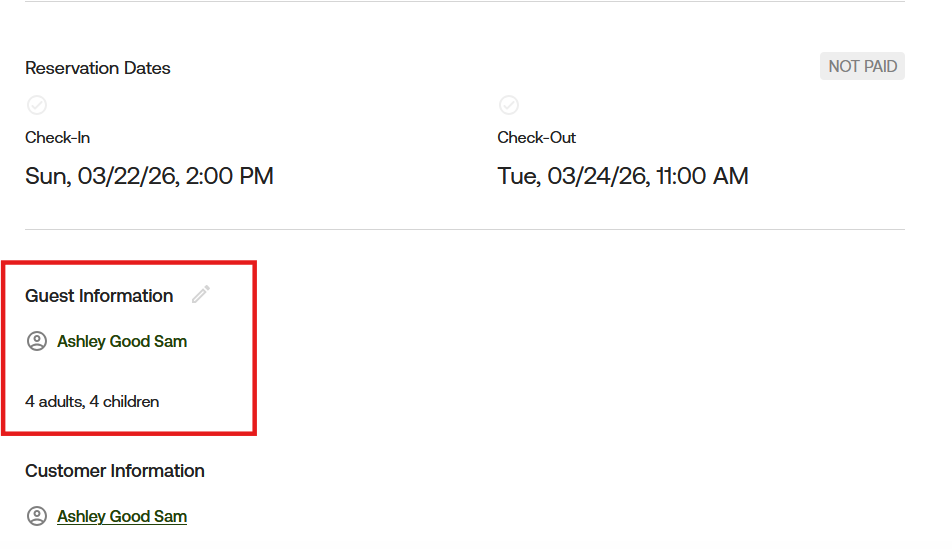
You can confirm the changes by reviewing the guest information section of the reservation.
If you have any questions or want clarification on how to update the guest count, please reach out at [email protected] and we can review it with you.